Edu Gold
Risk Acknowledgement Required
High Risk Investment Warning

Trading XAUUSD (Gold) and other leveraged financial instruments involves a high level of risk and may not be suitable for all investors.

You may lose some or all of your invested capital. The backtest results shown on this website are based on historical data and do not guarantee future performance.

The compounding projections are mathematical illustrations only — not promises or predictions of actual returns. Never risk money you cannot afford to lose.

By clicking "I Understand & Accept", you confirm that you have read and agreed to our full Risk Disclosure & Disclaimer.

I understand trading involves substantial risk of loss
I will test on a demo account before using real money
Past performance does not guarantee future results
I am solely responsible for my trading decisions
I Do Not Accept — Leave Site

This notice is displayed once per session. View full disclaimer

Beginner Course

Module 0: Getting Started with MT4/MT5

Installing MT4 or MT5

15 min read

Installing MT4 or MT5

MetaTrader 4 (MT4) and MetaTrader 5 (MT5) are the most widely used trading platforms in the world. They are free to download and work on Windows, macOS (via Wine or Parallels), iOS, and Android.

Which one should you use?

MT4 — The classic. Simpler, faster, and most brokers support it. Best for beginners trading XAUUSD.

MT5 — The newer version. More timeframes, more indicators, and supports more markets (stocks, futures). Recommended for intermediate and advanced traders.

For this course, all examples use MT5, but everything works identically in MT4.

Installation Steps

Step 1: Go to your broker's website (IC Markets, Pepperstone, or FP Markets are recommended for gold trading).

Step 2: Download the MT5 installer for your operating system.

Step 3: Install the platform and log in with your demo account credentials (provided by your broker after registration).

Step 4: In the Market Watch panel (View → Market Watch), find XAUUSD and XAGUSD. Right-click → "Show" if they are not visible.

Step 5: Double-click XAUUSD to open a chart.
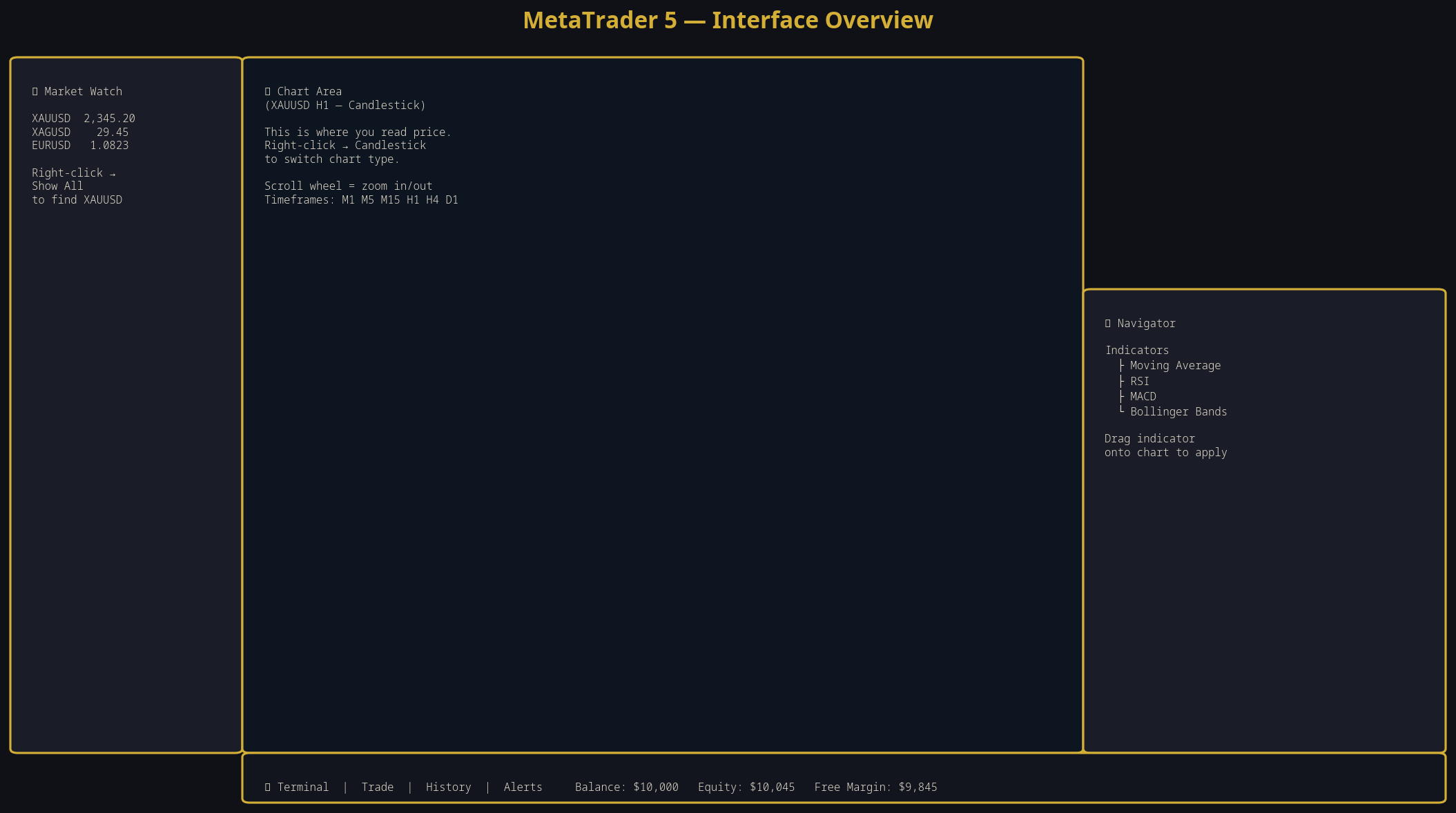
The MT5 interface: (1) Menu bar, (2) Toolbar, (3) Market Watch — all available instruments, (4) Chart area — where you analyze price, (5) Terminal — shows open trades and account info, (6) Navigator — indicators and Expert Advisors.

Always start with a DEMO account. A demo account uses virtual money but has real market prices. Practice for at least 2–4 weeks on demo before risking real money. Most brokers offer unlimited demo accounts.